Documentation Process
Basic Process
The documentation (published at https://tmforum-oda.github.io/oda-ca-docs/) is generated from the README (and other markdown files), images, and code (including DocStrings). All a normal contributor has to do is to ensure the code and other assets are documented in README files and code comments.
If you want to change the menu structure (e.g. to add a new section to the documentation), you need to follow the full process below which includes using Sphinx and .rst files (reStructuredText markup language). Feel free to ask for help in the slack channel if this is your first time!
Full process
There is a video overview of the Documentation Process below. It was recorded for an earlier version of the process, so the folder names have changed; the steps described on this page are current.
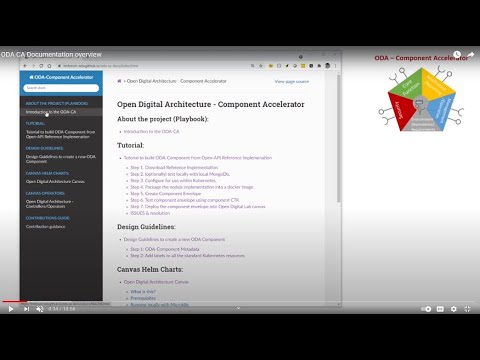
The published home of the documentation is https://tmforum-oda.github.io/oda-ca-docs/
The site is built with Sphinx and MyST (Markdown), and published to the gh-pages branch by the Docs workflow. The workflow runs on every push to main, every night, and on request, so changes to the oda-canvas documentation are published without a commit to this repository.
The content is not kept in the doc folder. When Sphinx starts, doc/conf.py:
copies every Markdown file and image (
.md,.png,.jpg,.gif,.svg,.puml,.feature) from the oda-canvas repository intodoc/canvas, keeping its folder structure;copies the project pages and tutorials from the root of this repository into
doc/docs; andcopies the hand-written navigation files from
doc/overlayon top.
doc/canvas, doc/docs and doc/_build are generated, so don’t edit or commit them. To change a Canvas page, raise a pull request on oda-canvas. To change the menu structure, edit doc/index.rst: each toctree in it is one section of the sidebar.
Only the top page of each area needs to be listed there. When the build reads a README.md (or a skill’s SKILL.md), it adds every page in that folder and its sub-folders to the menu underneath it, down to the next README.md. So a new page in oda-canvas appears in the menu without any change here, as long as it sits in a folder with a README. The use case archive (usecase-library/archive) is not published.
The Training videos pages are generated from doc/videos.yaml by doc/_ext/oda_videos.py: an overview, and a page per video with the player, chapters, related documentation and the transcript. Each page listed in a video’s related list gets a Watch box under its title, unless the page already embeds the video. To add a video, add an entry to videos.yaml (or re-export it from the training-videos project) and list the pages it covers under related, as site page names such as canvas/Observability-design.
The site uses the Furo theme, styled in doc/_static/css/custom.css to match the ODA Canvas training videos: the same colour for each concept, the Inter and JetBrains Mono fonts, and dark mode by default.
To build the site locally, check out oda-canvas next to oda-ca-docs, then:
cd doc
pip install -r requirements.txt
sphinx-build -E -a . _build
Open doc/_build/index.html to view the result. Pull requests also upload the built site as a docs-site artifact on the workflow run.